Generate speech
Turn text into speech with VoiceStudio voices, with language and speed controls.

App for iOS
Your Mac's VoiceStudio on iPhone and iPad: generate speech, clone voices with consent, transcribe, dub and create audiobooks. All the AI runs on your Mac.
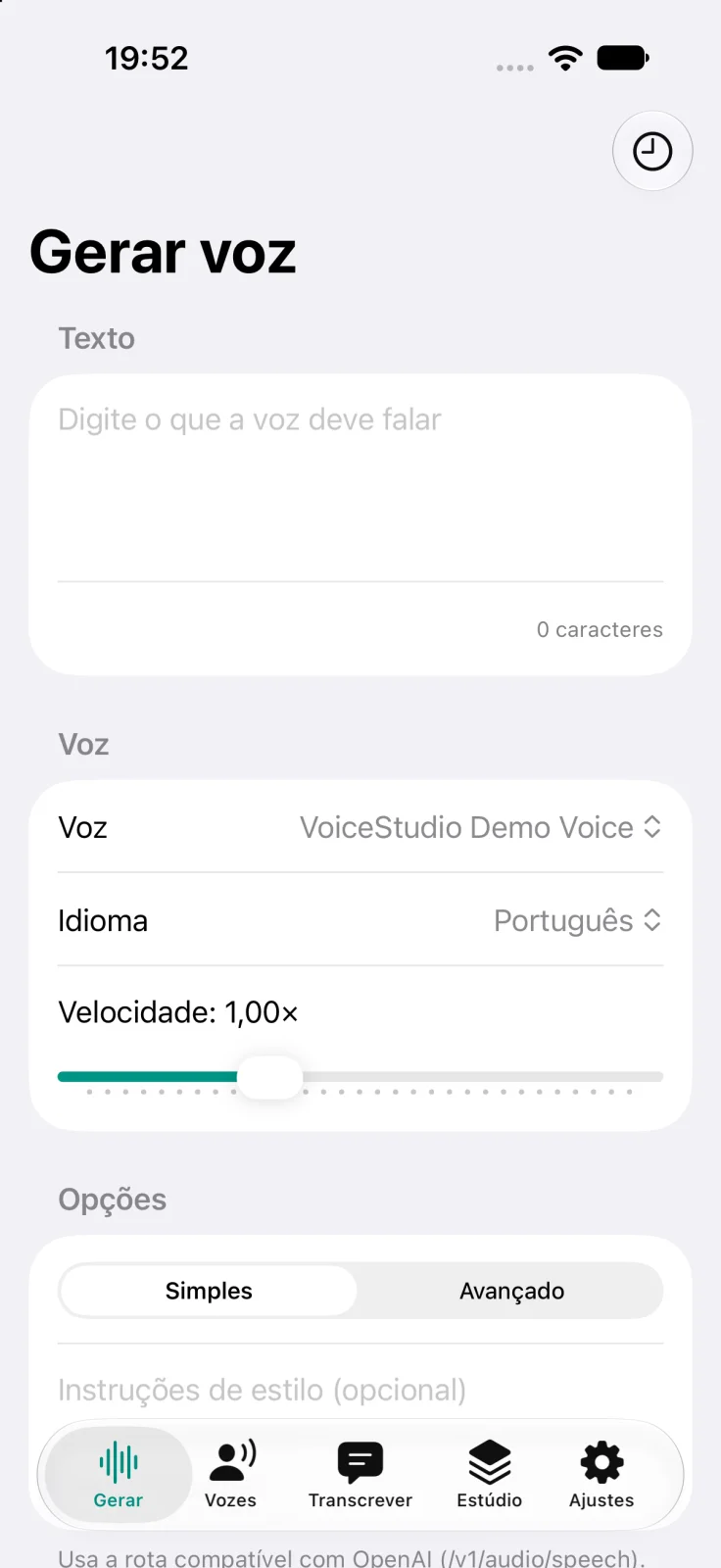
The app interface is currently available in Brazilian Portuguese.
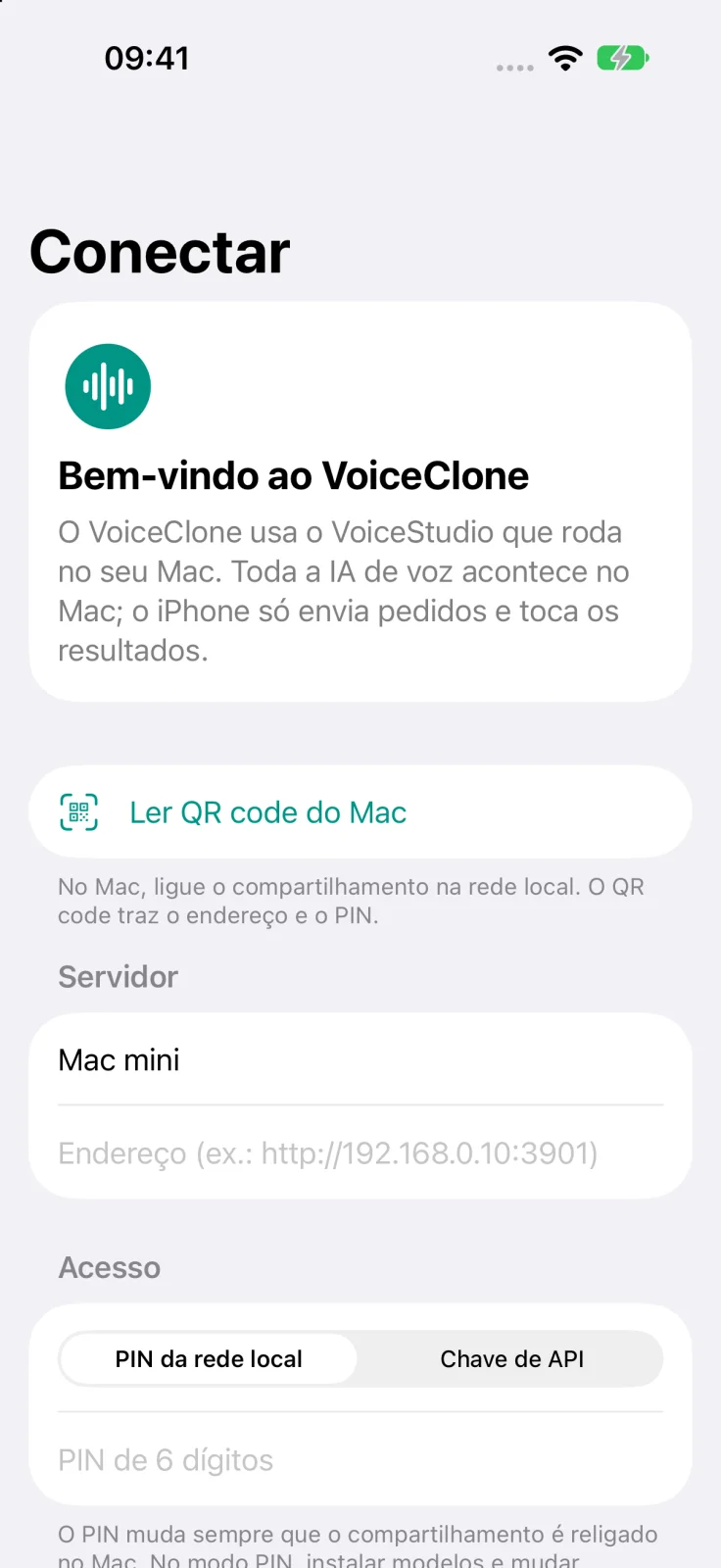
To use the app, you need VoiceStudio 0.5.6 or compatible running on your Mac.
Turn text into speech with VoiceStudio voices, with language and speed controls.
Record or import a reference clip and create a voice profile. The app requires you to confirm you have the right to use the voice.
Record or upload audio and video and get the text and subtitles.
Dubbing, audiobooks and batch generation, with progress tracking.
The PIN and API key are stored only in the device Keychain.
Scan the code shown by VoiceStudio on your Mac and connect in seconds.
VoiceClone for iOS. Last updated: October 20, 2026. Controller: SimplificaDev Ltda.
This policy explains what information VoiceClone uses, where it is stored and where it is sent. The data controller is SimplificaDev Ltda., CNPJ 58.308.084/0001-05 (Brazil).
VoiceClone is a client for VoiceStudio, a program you install and control on your own Mac. Speech generation, voice cloning, transcription and dubbing are performed by VoiceStudio, not by SimplificaDev servers. The app has no sign-up or login, shows no ads and includes no analytics, advertising or tracking SDKs.
| Data | When |
|---|---|
| Text to be spoken | Generate speech, audiobooks and batches |
| Reference audio, its transcript and the profile name | Clone a voice |
| Recordings and audio or video files | Transcribe and dub |
| PIN or API key | Authenticate each request |
This data goes straight from the device to your Mac, over the local network or through a tunnel you set up yourself. SimplificaDev does not receive, see or store any of it.
What VoiceStudio stores (history, voice profiles, projects) and any external services you enable in it, such as a translation engine, depend on your VoiceStudio settings, which you control. If you use a tunnel service such as Tailscale or ngrok, that provider carries the traffic under its own terms.
A voice identifies a person and is personal data. Before creating a cloned voice, the app requires you to confirm that you have the right to use that voice and that you will not use it to deceive people or impersonate anyone. This confirmation stays on the device during the flow and is not sent to SimplificaDev.
You are responsible for getting permission from the voice owner and for using the result lawfully.
You can deny or revoke these permissions in iOS Settings. Features that depend on them stop working, and the rest of the app remains available.
If you enabled sharing analytics with app developers in iOS settings, Apple may send us aggregated crash and usage reports, under Apple's rules.
Data on the device stays until you delete it. In Settings > Local cache you can delete all saved audio. Removing a server also deletes its PIN or key from the Keychain. Deleting the app removes the library and the server list; we recommend removing servers first, because iOS may keep Keychain items after the app is deleted.
Voice profiles, history and projects stored in VoiceStudio can be deleted from the app, on the corresponding screens, or directly on the Mac.
Credentials are kept in the Keychain and never appear in app logs. On the local network, the connection to VoiceStudio uses HTTP, which is not encrypted: use the app on trusted networks or through an HTTPS tunnel. No system is completely secure, but the app is designed to send data only to the server you chose.
VoiceClone is not directed to children. SimplificaDev does not knowingly collect data from children.
Because the app sends no data to SimplificaDev, almost everything stays on your device and your Mac, under your control. If we hold any of your data, such as a message you sent to support, you can request confirmation, access, correction, deletion or information about the processing at the email below.
When this policy changes, the date at the top is updated on this page and in the copy inside the app.
SimplificaDev Ltda. Email: contato@simplificadev.com.br.
Email: contato@simplificadev.com.br
In the app, go to Ajustes > Sobre > Escrever para o suporte (Settings > About > Contact support). Before writing, check that VoiceStudio is open on your Mac with local network sharing turned on.